

Written by the maker of Stress Relief. Product examples describe our own app; this is not an independent review or medical advice.
The short answer
Before leaving, prepare one quiet game you already enjoy, test it offline and pack a screen-free alternative. Use short sessions while seated or waiting in an appropriate place. Keep tickets and announcements accessible, and put the activity away when navigating, boarding or approaching your stop.
Choose for each stage of the trip
At a gate or platform, choose an activity you can leave immediately. During a seated part of the journey, you may have room for a slightly longer pause. Near your stop, prioritize bags, tickets and route information. One game does not need to occupy the whole trip.
Avoid using a game while walking through an unfamiliar station, crossing a road or handling a part of travel that needs your attention. If you are responsible for another traveler, plan activities around that responsibility.
Prepare a small activity kit
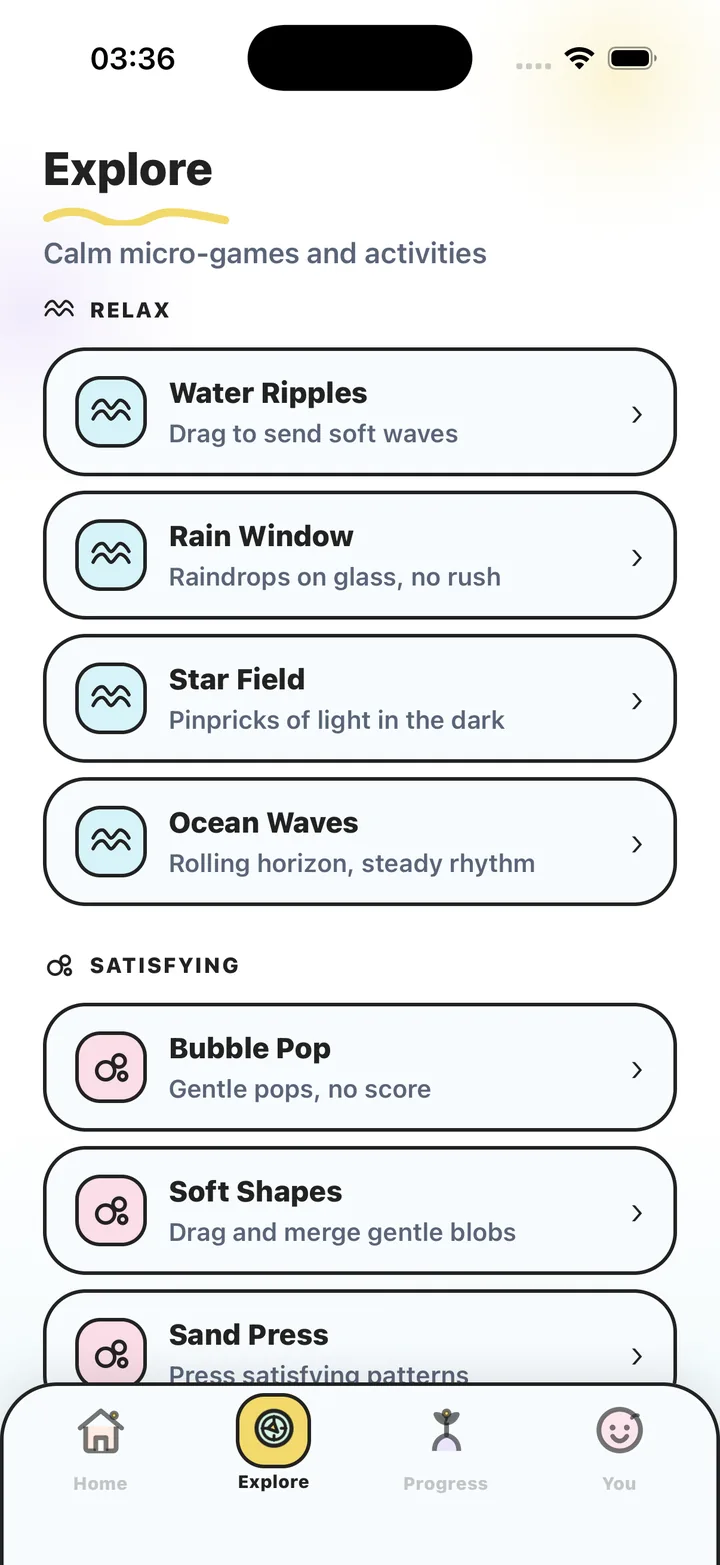
Pick one familiar interaction and one alternative before leaving. In Stress Relief, Bubble Pop offers tapping, Soft Shapes lets you move forms, and Water Ripples uses dragging. Games have no competitive scores or advertising. Choose activities already available in your free selection or Premium access.
Add a paper option: a short book, a small notebook or a page of patterns to draw. If looking at a moving screen is unpleasant on the journey, you can put the phone away without needing to replace the game with another screen activity.
Treat preparation as a separate task
Install and open the app while connected, verify the games you plan to use and test them with the connection off. Stress Relief games and breathing work offline; account services, purchases, restoration and AI features can need a connection. Make purchase decisions before travel rather than relying on a weak station connection.
Also check sound, haptics and the way a session ends. Use quiet settings in shared spaces and keep announcements available. Follow staff instructions and the transport operator’s device rules. This guide does not replace the current rules for your route.
- Before departure: install, verify access and test the chosen activity.
- While waiting: keep the call board or announcement in view.
- While seated: choose a short boundary rather than an endless session.
- Before arrival: close the activity and prepare what you need to leave.
Plan the end before the stop
If the route and device allow it, set a reliable reminder with enough time to put the phone away. Check the journey information directly rather than estimating your location from elapsed game time. A countdown inside a game is not a travel alert.
The activity is there for a gap, not to guarantee a relaxed journey or remove worry about delays. Food, water, accessible seating, company or clear information may be more useful at a particular moment. Change the plan when an ordinary travel need comes first.
Pack a short-break plan
- Choose two activities
Keep one familiar quiet game and one screen-free alternative ready.
- Test before leaving
Open your chosen game offline and verify settings and access while you can still reconnect.
- Choose the right gap
Use an activity while seated or waiting appropriately, with journey information available.
- Close before the transition
Put the activity away before boarding, navigating or preparing to leave.
Frequently asked questions
Can I use Stress Relief on a flight without Wi-Fi?
Its installed games and breathing work offline. Test the activities before departure and follow the airline’s device instructions.
Do I need headphones?
You can use visual games without sound. Keep announcements and instructions available in the way that suits your setting.
What if a game feels unpleasant during travel?
Stop and put the phone away. Choose your screen-free alternative or rest without an activity.
Sources and product references
- Official Stress Relief app facts
Product information from Omnivatis, the publisher. These guides describe our own app and are not independent reviews.
- Stress Relief: Relaxing Games on the App Store
Check current iPhone availability, purchase options and published app information.
Stress Relief is a wellness app. It is not a medical device, does not diagnose or treat any condition, and is not a substitute for professional care. If you are struggling, please talk to a qualified professional.