
The short answer
Start with one action: Bubble Pop for taps, Water Ripples for dragging, Color Flow for finger painting, or Tiny Garden for growing plants. Those activities are free in the iPhone app. Try a browser example of tapping or water interaction below before deciding which format you prefer.
Three different ways to use your hands
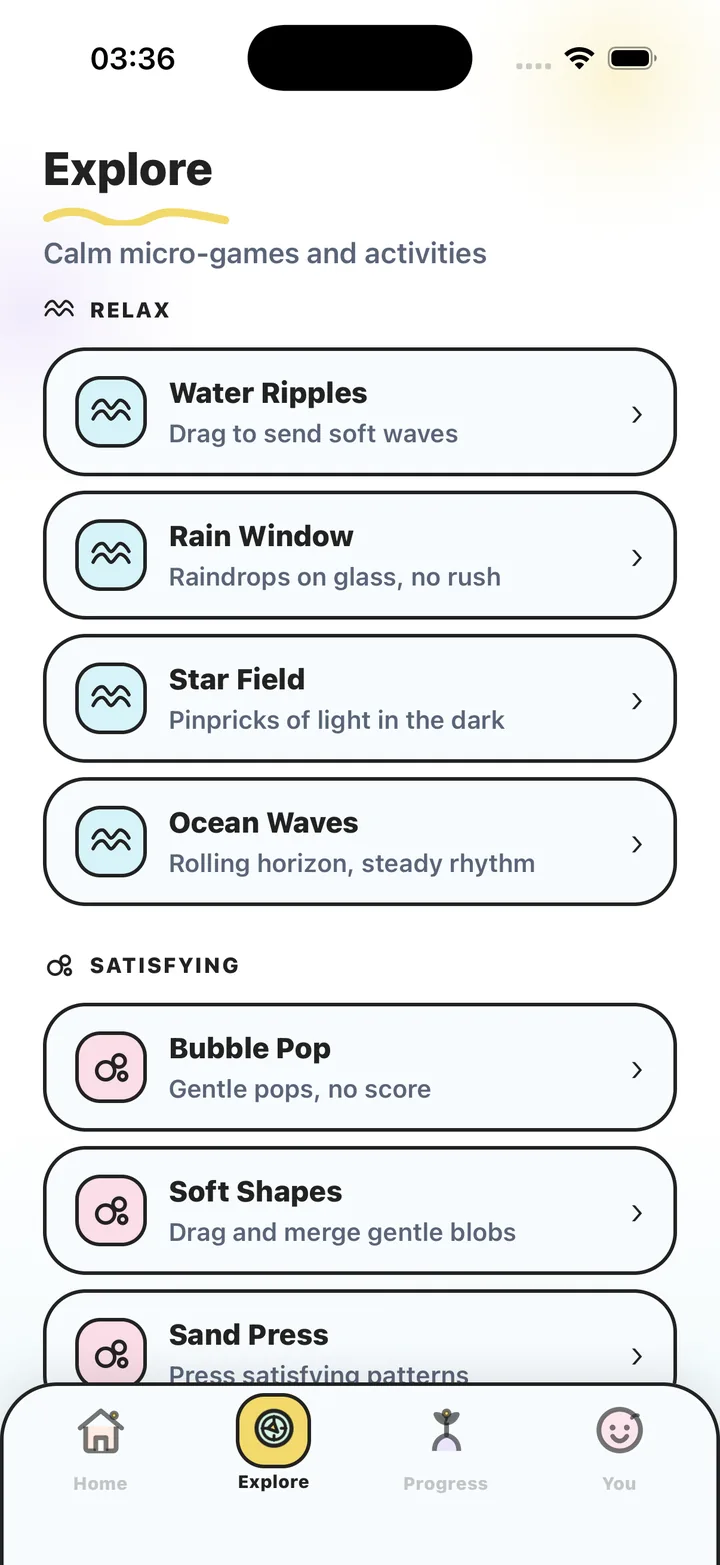
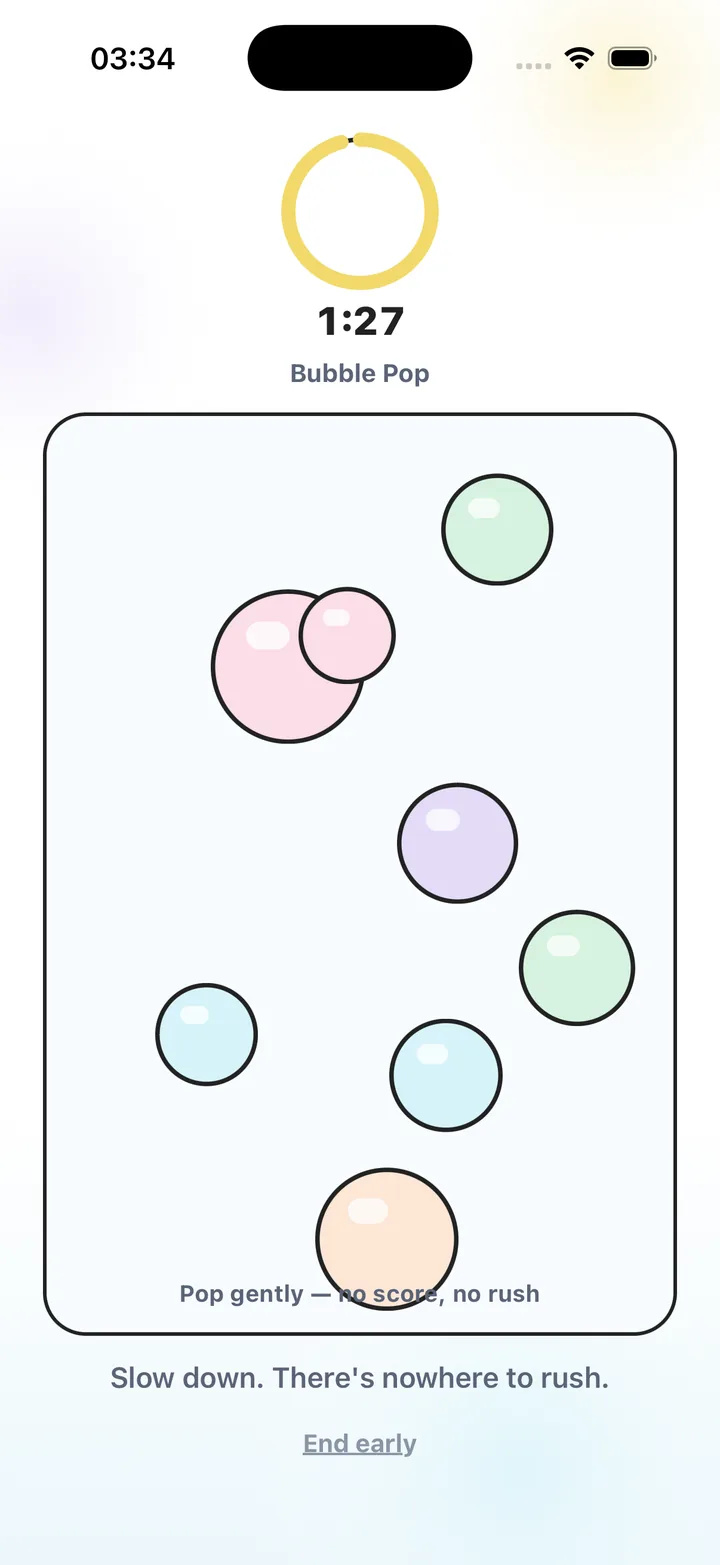
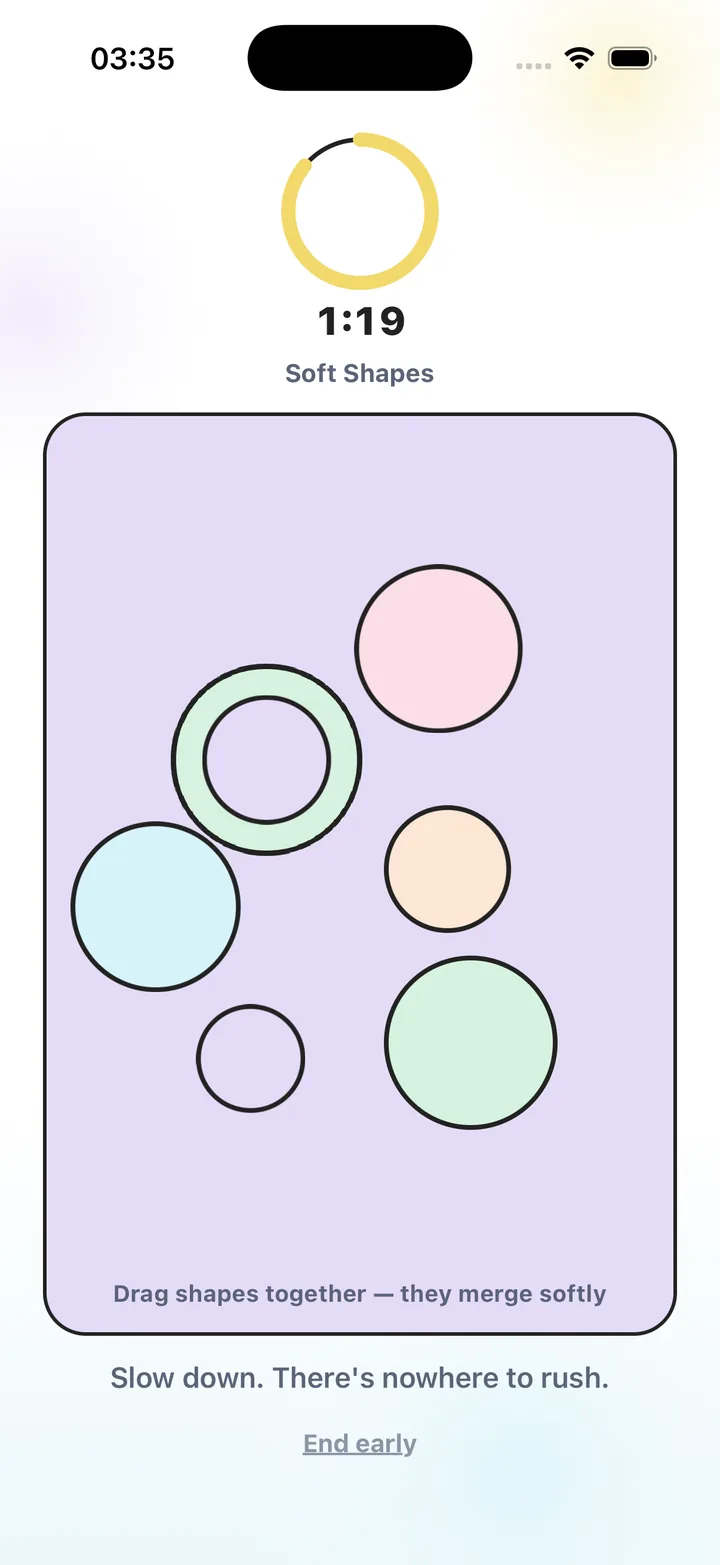
Real app captures show the difference between choosing an activity, tapping bubbles and merging shapes. Choose a movement you like instead of expecting one game to suit everyone.
Start with the gesture
Tap when you want separate actions with a visible response. Drag when you want a continuous movement. Draw when making marks sounds enjoyable, or choose a scene-based activity when you would rather watch more and touch less.
You do not have to test the whole library. Choose one activity you can reach comfortably and one alternative. A visually quiet game can still be a poor fit for the movement, precision or attention you want at that moment.
Five categories, with concrete examples
The app’s categories describe different activity families. The full 19-activity selection includes:
- Relax: Water Ripples, Rain Window, Star Field, Ocean Waves and Breath Bloom.
- Satisfying: Bubble Pop, Soft Shapes and Sand Press.
- Create: Color Flow, Cloud Draw and Glow Patterns.
- Nature: Tiny Garden, Floating Leaves, Zen Garden and Fireflies.
- Focus: Infinite Loop, Focus Dots, Slow Maze and Stone Sort.
Check the setting as well as the game
In a shared room, start with sound off and check haptics separately. Hold the phone in the way you intend to use it: a comfortable drag at a desk may feel different while seated on a train. Try the activity’s ending too, so you know how to leave when your available time is over.
The web demos provide keyboard alternatives and do not play audio. Native app haptics are a separate feature on supported phones, so a browser preview cannot show that part of the app experience.
Choose your access level after trying the movements
Bubble Pop, Water Ripples, Color Flow, Tiny Garden, Soft Shapes, Breath Bloom and Stone Sort are free in the app. You can use that selection to decide which actions you enjoy before considering Premium. Both access levels have no advertising.
Premium unlocks all 19 activities and additional reset access. Check current local plans and renewal terms in the app or App Store. Installed games and breathing work offline, while store and account services can need a connection.
Let the result be your preference
After the first try, ask whether you liked the interaction and whether you found it straightforward to stop. You can keep a familiar game, try another gesture or choose a screen-free pause. There is no required improvement to report.
Stress Relief is a wellness app. It does not diagnose or treat any condition and is not a substitute for professional care.
Choose by action
| Movement | Examples in the app | Free starting point |
|---|---|---|
| Separate taps | Bubble Pop; Fireflies | Bubble Pop |
| Dragging | Water Ripples; Soft Shapes | Both are free |
| Creating marks | Color Flow; Cloud Draw; Glow Patterns | Color Flow |
| Growing or arranging | Tiny Garden; Stone Sort | Both are free |
| Following a cue or route | Breath Bloom; Focus Dots; Infinite Loop; Slow Maze | Breath Bloom |
A little play, right here
Choose a free browser demo.
Try a simple interaction before choosing the app. No download or account needed. These are small web examples; the iPhone app has its own game surfaces, haptics and session features.
Bubble Pop
Pop soft bubbles in a free browser demo with no score or time limit. Tap, click or use your keyboard, then leave whenever you want. No signup or download.
Play nowWater Ripples
Tap a quiet water surface and watch ripples spread. A free, silent browser demo for touch, mouse or keyboard, with no score, signup or download.
Play now
Frequently asked questions
Which calming game should I try first?
Choose by the movement you want. Bubble Pop uses taps, Water Ripples uses dragging and Color Flow uses finger painting. You can try the first two as simplified web demos here.
Are all 19 activities free?
No. Seven are free: Bubble Pop, Water Ripples, Color Flow, Tiny Garden, Soft Shapes, Breath Bloom and Stone Sort. Premium unlocks the full selection.
Can I use the games without sound?
Yes. The app games can be used visually. Check haptic settings separately if vibration does not suit the setting.
Do calming games replace professional support?
Stress Relief is a wellness app. It does not diagnose or treat any condition and is not a substitute for professional care.
Sources and product references
- Official Stress Relief app facts
Product information from Omnivatis, the app maker. These examples describe our own product, not an independent review.
- Stress Relief: Relaxing Games on the App Store
Check current iPhone availability, subscription options and version information.
Stress Relief is a wellness app. It is not a medical device, does not diagnose or treat any condition, and is not a substitute for professional care. If you are struggling, please talk to a qualified professional.