

Written by the maker of Stress Relief. Product examples describe our own app; this is not an independent review or medical advice.
The short answer
Download the app while connected, then test the game and breathing you plan to use in airplane mode. Stress Relief games and breathing work offline; account, store, restoration and AI services can require a connection.
Offline play is a feature, not a promise about every service
A game may run on your device while its account login, subscription management or optional AI tools use a server. Separate the activity you want from the services around it. For a trip, test the actual game instead of relying on whether the app opens.
Examples that are already in the published game library
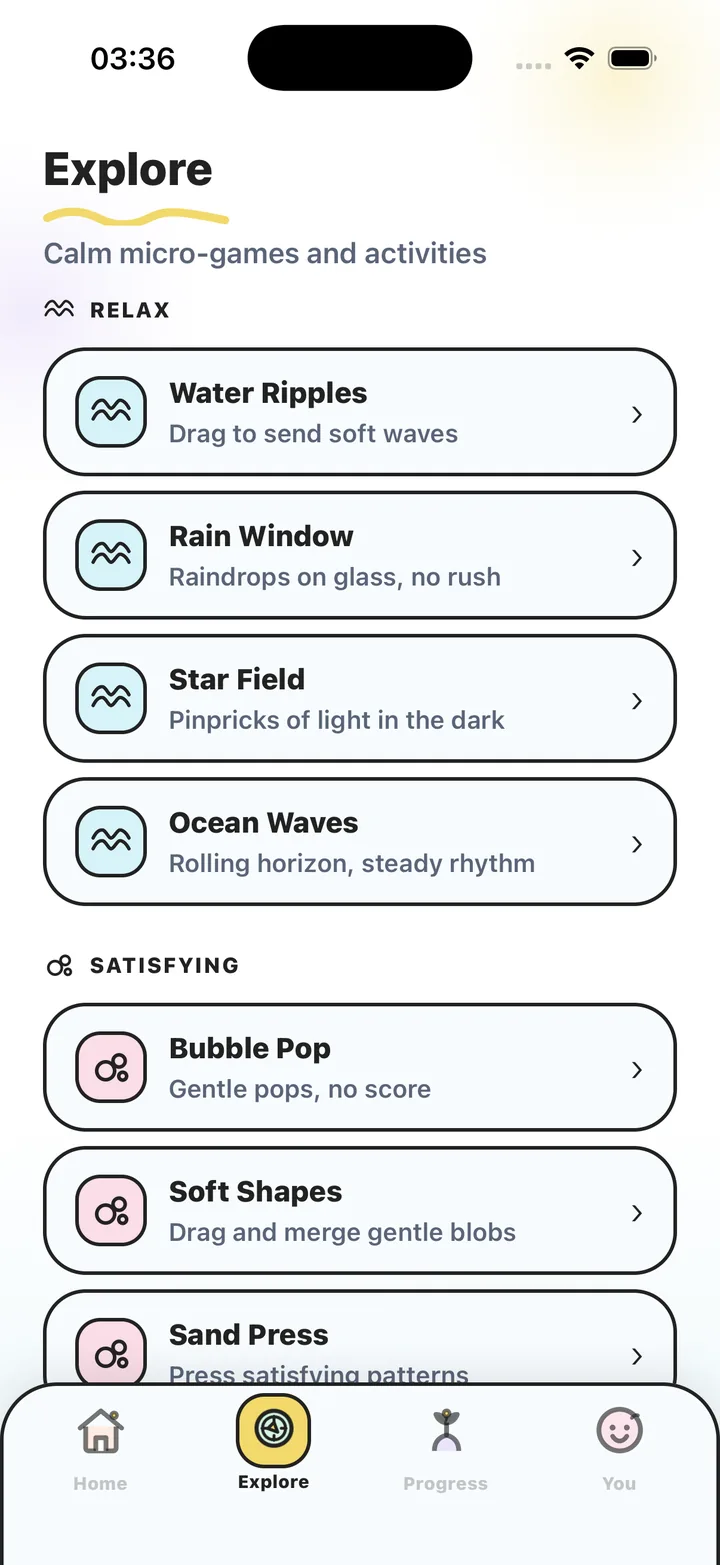
Try Bubble Pop for tapping, Water Ripples for slow dragging, or Color Flow for drawing. Other published activities include Rain Window, Star Field, Ocean Waves and Zen Garden. Availability within the free selection and Premium is explained in the app.
Choose something you can use quietly when sharing a carriage or waiting room. Turn audio off when needed and check the haptic settings before you travel.
A two-minute test before leaving
Install and open the app while online first. If you use Premium, verify access before switching off the connection. Then open the activity you intend to use, play briefly, end it and open it again.
- Test the exact activity, not only the home screen.
- Check sound, haptics and the session ending.
- Restore purchases while connected if needed.
- Download updates before the journey.
Keep the choice small
You do not need to prepare every game. Choose one activity you like and one alternative. A visual activity and a short breathing cue give you different options without making the break another browsing task.
What works without a connection in Stress Relief?
| Activity or service | Connection expectation |
|---|---|
| Published games | Play offline after the app is installed. |
| Guided breathing | Available offline. |
| Account services | Can require a connection. |
| Purchases and restoration | Use a connection and your store account. |
| AI services | Can require a connection. |
Check offline access
- Prepare while connected
Install, open the app and verify the activities you want to use.
- Switch to airplane mode
Turn the connection off for the test.
- Play and reopen
Try a game, end it and open it again. Check breathing too.
- Reconnect after testing
Return to your usual connection settings. You are ready to use the tested activities on the journey.
Frequently asked questions
Can I play in airplane mode?
Yes. Stress Relief games and breathing work offline once the app is installed. Test your chosen activities before travel.
Do offline games need an App Store account?
An App Store account is used to download the iPhone app and manage purchases. That is separate from whether the installed games need an active connection during play.
Sources and product references
- Official app facts and download
Product information from Omnivatis, the maker of Stress Relief. This guide describes our own app; it is not an independent review.
- Stress Relief on the App Store
Check current availability, purchases and the published version.
Stress Relief is a wellness app. It is not a medical device, does not diagnose or treat any condition, and is not a substitute for professional care. If you are struggling, please talk to a qualified professional.