Why the usual break does not work
Switching from a spreadsheet to a feed feels like rest, but it keeps the same systems running: fast scanning, small hits of novelty, more input. A real stress break does the opposite. It narrows attention to one slow thing, slows the breath, and has a clear end. Three minutes of that changes the next hour more than fifteen minutes of scrolling.
Making it work in an office
- Pick a break you can do silently. Stress Relief games need no sound; they use visuals and soft haptics.
- Use the time you already have: the two minutes before a call, the wait for a build, the walk to the kitchen.
- One slow thing, not several. A single game, a single breath rhythm.
- Keep it short on purpose. A three-minute break you actually take beats a fifteen-minute one you skip.
- End with a check-in, not a decision. Note how you feel, then return to the task you left.
Games that suit a desk
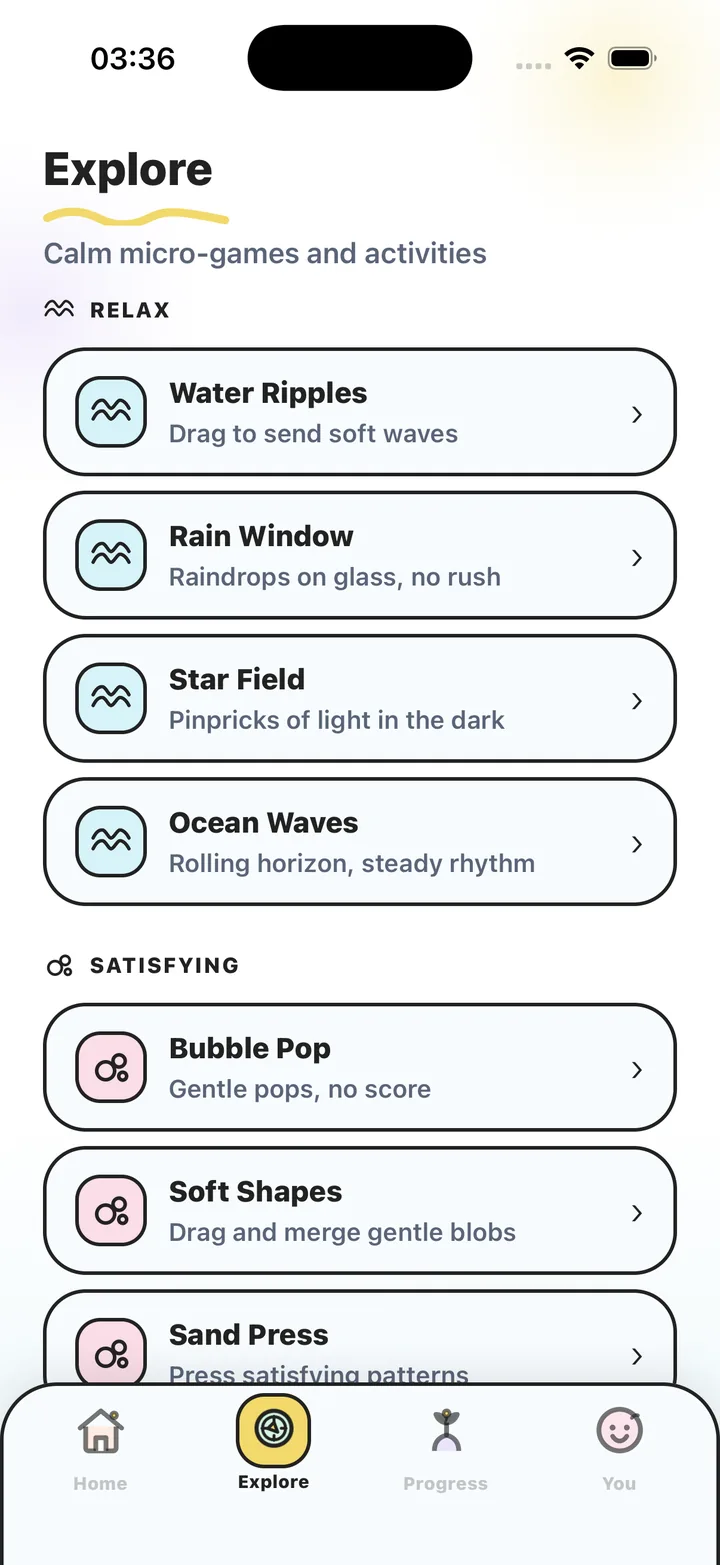
The quieter games in the library fit a workplace best. Water Ripples — drag to send soft waves. Zen Garden — rake soft lines in the sand. Slow Maze — a maze with nowhere to rush. Bubble Pop — gentle pops, no score. None of them are loud, bright or competitive, and each has a gentle countdown you can end early if someone walks over.
This is a wellness habit for ordinary workday stress. Stress Relief is a wellness app. It does not diagnose or treat any condition and is not a substitute for professional care. If you are struggling, please talk to a qualified professional.
Steps
A three-minute stress break, with Stress Relief doing the timing.
- Leave the screen you were on
Lock the laptop or turn away from it. If you can, stand up. The break should be physically distinct from the work, even if only by a chair turn.
- Say how you feel
Open Stress Relief and drag the mood dot, or tap "I need to calm down" and choose: overwhelmed, frustrated, racing, or just a break. Pick three minutes.
- Do one slow thing with your hands
Play the game the app picks — or open a quiet one like Zen Garden or Water Ripples from Explore. No score, no rush. Let it be boring; boring is the point.
- Breathe with the dot
When the breathing part comes, follow the slow dot with your eyes open. In as it grows, out a little longer as it shrinks.
- Check in and go back
Answer how you feel now, close the app, and return to the task. Over a week the Progress tab shows calm minutes and a mood trend — useful for noticing which part of the day needs the break most.
Frequently asked questions
Will people notice I am playing a game at work?
The games are quiet, muted in color and need no sound. They look like what they are: a short, calm break. Each has a countdown you can end early.
How often should I take a stress break?
Whenever you notice you have been tense for a while. Many people use one before meetings and one mid-afternoon. There are no streaks, so there is no wrong number.
Does it need Wi-Fi?
No. Games and breathing work offline.
Stress Relief is a wellness app. It is not a medical device, does not diagnose or treat any condition, and is not a substitute for professional care. If you are struggling, please talk to a qualified professional.