
Written by the maker of Stress Relief. Product examples describe our own app; this is not an independent review or medical advice.
The short answer
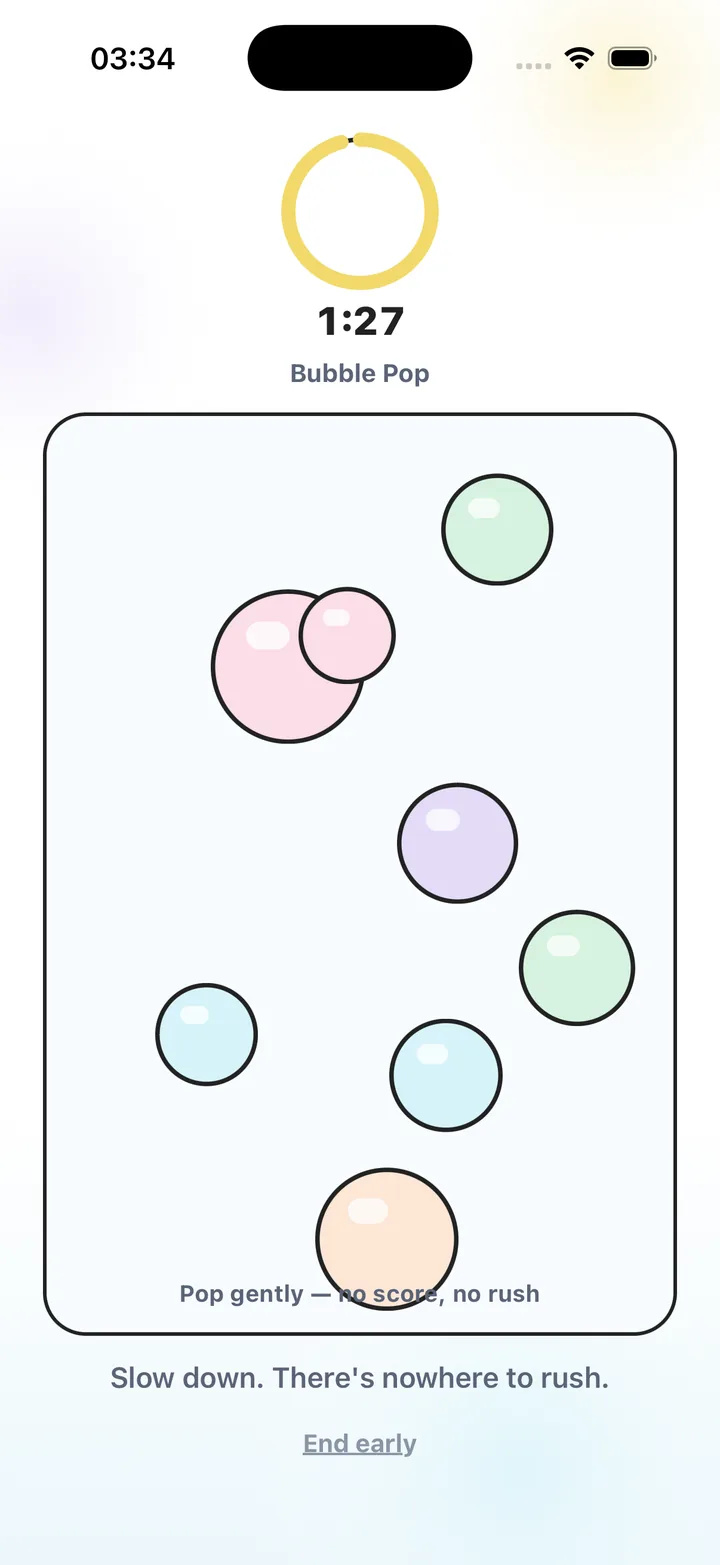
Choose visible touch feedback and instructions you can read without audio. Mute the game, check haptics separately and test the full session ending. Stress Relief games need no sound: you can tap bubbles, drag ripples, draw or follow a path visually.
Check whether audio carries essential information
Some games use sounds to signal a correct action, an approaching object or the next step. Turning off those sounds may remove part of the task. For a silent game, look for a visible response that tells you what your touch did and on-screen directions you can follow.
Try one action without listening. Can you see that a bubble popped, a shape moved or a line appeared? If the answer is clear, the basic interaction may suit silent use. Also check the session ending; a sound-only cue may be easy to miss in a muted setting.
Treat vibration and interruptions separately
Muting audio does not always turn off haptics, and a vibrating phone resting on a hard surface can be noticeable. Review the app and phone settings, and try the actual grip or surface you plan to use. A setting that feels quiet in your hand may sound different on a desk.
Notifications are another separate issue. If you want an uninterrupted minute, use the phone settings that fit your situation and allow any alerts you need. No game can decide which messages matter for you. Prepare the environment rather than assuming an ad-free game also controls the rest of the phone.
Match a visual interaction to the place
For a seat on a train, choose a movement you can make with the space and grip available. At a desk, you might prefer a short drag or a few taps. If you want less hand movement, a slower scene can be worth trying. Use the phone only where looking at it is appropriate.
Stress Relief examples include Bubble Pop for taps, Water Ripples for dragging and Color Flow for finger painting. All three are free. Infinite Loop and Slow Maze offer path-based activities in Premium. Sound is not required to use the games, though your own visual and interaction preferences still matter.
Test offline use before relying on it
Quiet places such as a train, waiting area or flight may also have a weak connection. Stress Relief games and breathing work offline after installation. Open and test the exact activities you want while preparing; verify Premium access while connected if you use it.
Account services, purchases, restoration and AI features can need a connection. Those services are separate from playing an installed game. A one-minute test that includes opening, interacting, ending and reopening gives you more useful information than simply checking whether the home screen appears.
Prepare one silent activity
- Mute before the trial
Use the game and phone settings appropriate to your device, then test the actual activity.
- Check a visible response
Make one movement and confirm that the screen tells you what happened.
- Review haptics and alerts
Check vibration separately and choose suitable notification settings.
- Test the ending
Finish or leave the session and confirm that the full path works quietly.
Frequently asked questions
Do Stress Relief games require headphones?
No. The games can be used visually without sound. Choose audio and haptic settings that fit your surroundings.
Does muting sound also turn off vibration?
Not necessarily. Audio and haptics can be controlled separately. Check the app and phone settings and test the device in the place you plan to use it.
Can I use a silent game without Wi-Fi?
Stress Relief games and breathing work offline after installation. Verify access and test your chosen activity before traveling; store and account services can require a connection.
Sources and product references
- Official Stress Relief app facts
Product information from Omnivatis, the app maker. These guides describe our own app and are not independent reviews or clinical evidence.
- Stress Relief: Relaxing Games on the App Store
Check the current iPhone listing for availability, purchases and the published version.
Stress Relief is a wellness app. It is not a medical device, does not diagnose or treat any condition, and is not a substitute for professional care. If you are struggling, please talk to a qualified professional.