
Written by the maker of Stress Relief. Product examples describe our own app; this is not an independent review or medical advice.
The short answer
A water ripple game should respond to touch; an ambient water video may simply repeat. Try one slow drag and pause to watch the response. Stress Relief Water Ripples uses dragging to send soft waves, is one of seven free games and works offline after installation.
Choose between an interactive surface and a background
A loop of water can be something to watch, while a ripple game gives your hand a role in the scene. Neither needs to be better: choose watching when you want to leave the screen alone and interaction when you want a small movement to make.
Read the gesture description. Tap, drag, swipe and tilt can produce very different experiences, and a water image does not reveal which is supported. A browser animation may also behave differently from an installed phone game. Try the actual input rather than expecting every water scene to respond like a pond simulator.
Use fewer movements to see more of the response
Begin with a short drag across an easy-to-reach part of the screen. Lift your finger and let the result remain visible before moving again. Repeated fast swipes may be entertaining, but they can make it harder to see what one movement did.
A simple variation is to repeat the same small drag in two different directions. Compare the motions without turning the comparison into a test you must pass. You are choosing a movement you like, not finding a correct technique. If watching the surface is enough, pause your hand.
Test visual comfort and silent use
Water effects vary in speed, contrast and detail. Check whether the moving surface is pleasant to look at on your own phone. Change the phone brightness for your setting and stop if the animation is uncomfortable. A water theme does not guarantee a quiet or slow visual effect in every app.
Try the game with the sound off. If you still understand the relationship between your gesture and the result, it can suit a shared room without headphones. Haptics are a separate preference; inspect the app settings rather than assuming muting audio also removes vibration.
Water Ripples and other water scenes in Stress Relief
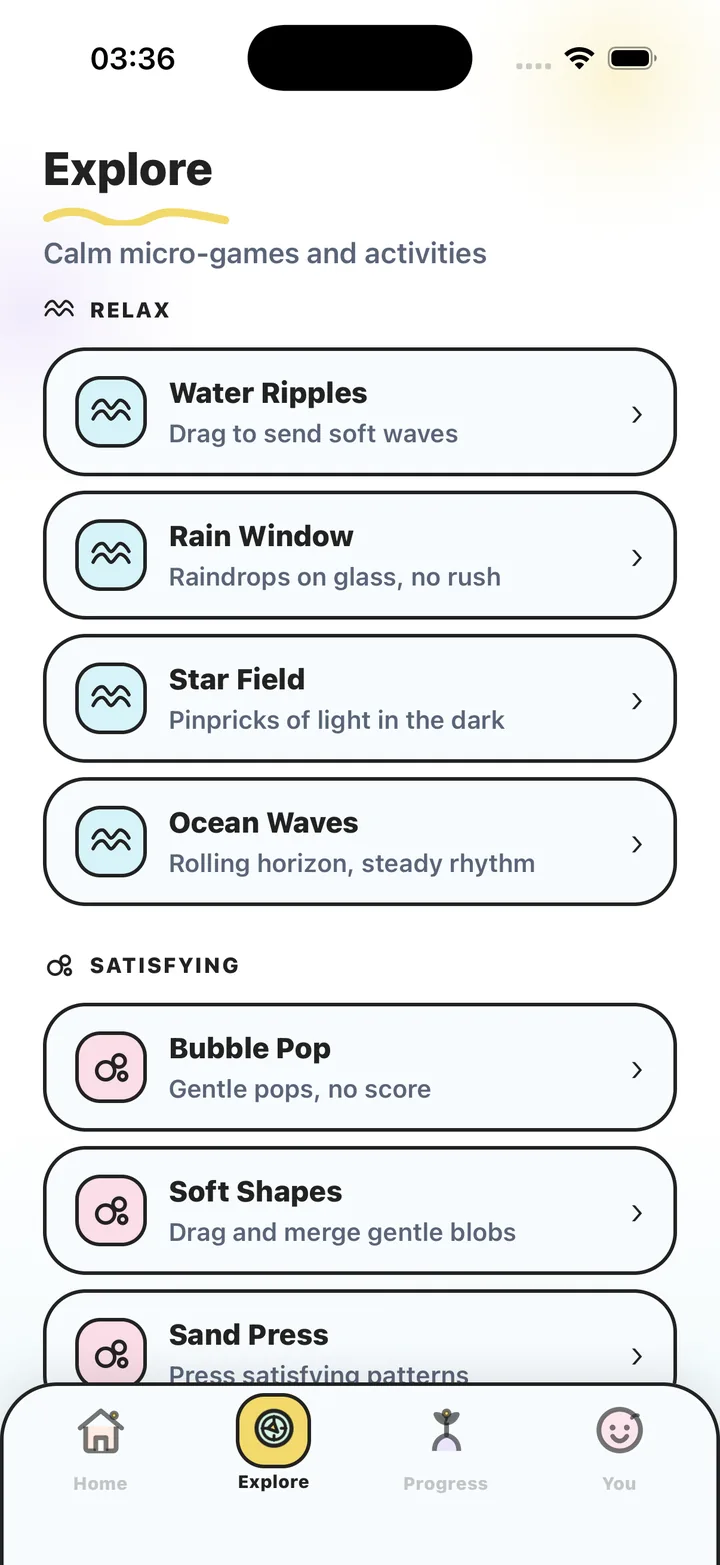
Water Ripples is the direct touch example: drag to send soft waves. Rain Window and Ocean Waves are other published activities, described respectively as raindrops on glass and a rolling horizon. They are separate games, so do not assume they use the same controls as Water Ripples.
Water Ripples is free. Rain Window and Ocean Waves are in Premium. All games have no competitive scores or advertising and can be used offline after installation. For travel, open the activity while connected first, verify access and test the installed game in airplane mode before relying on it.
Try a sparse ripple pattern
- Open a responsive surface
Check that touch changes the scene rather than only starting a video.
- Make one small drag
Use a comfortable area of the screen and lift your finger afterward.
- Watch before repeating
Give the visual response some space. Change direction only if you want to compare it.
- Stop after a few movements
Leave the surface as it is and end your break without needing to fill or clear anything.
Frequently asked questions
Is a water ripple game the same as a water video?
No. An interactive game responds to an input such as a drag. A video or animated background can repeat without changing in response to your hand.
Can I play Water Ripples without headphones?
Yes. Stress Relief games can be used without sound. Test the visual interaction and your haptic preferences before using the phone in a shared setting.
Is Water Ripples free and offline?
It is one of the seven free games, and the installed game works offline. Account, purchase restoration and AI services can require a connection.
Sources and product references
- Official Stress Relief app facts
Product information from Omnivatis, the app maker. These guides describe our own app and are not independent reviews or clinical evidence.
- Stress Relief: Relaxing Games on the App Store
Check the current iPhone listing for availability, purchases and the published version.
Stress Relief is a wellness app. It is not a medical device, does not diagnose or treat any condition, and is not a substitute for professional care. If you are struggling, please talk to a qualified professional.